Worse denormilization I ever heard
I was interviewing a guy for a new project with 7+ years experience. To start with I gave him a problem of representing a sales order in C# class. The candidate asked some more details about the Sales Order, so I explained like, I went to a shop and purchased Paste, tooth brush, etc, that means a sale order can have multiple items.
He tried for some time but couldn’t come up the class design. In my mind I already rejected him, to give him a feeling of some success, I asked him to design the table structure for the Sales Order. This is what he come up with.
| Column Name | Data Type |
| OrderId | int |
| OrderDate | Date |
| Paste | int |
| ToothBrush | int |
| Rice | int |
| Onion | int |
| …. | |
| ….. |
He explained the design as well. If the user purchase Paste then the Quantity will go to the Paste column and like that. I wanted to see how extend he will go. I told him that my company have 100k products and how you will fit it in the above design. He answered, alter the table and add 100k columns to that table.
I interviewed so many persons in my career and never talked about the details to any one. But this one was the worse interview I ever had and thought of sharing it.
Always code as if the guy who ends up maintaining your code will be a violent psychopath who knows where you live.
Martin Golding
Let me know if you guys have any experience like this.
Camera360 v1.5 released for WP8 with Double Exposure
Camera360 is always one of my favorite camera app in WP8. Let’s see what’s new in this release
- Double-Exposure (new feature).
- Thumbnails loading is faster.
- Photo saving failed bug is fixed.
- ‘Sweet’ filter bug in Portrait is fixed.
Except the first one rest all are bug fixes and performance improvements. Let’s look at the Double exposure in little more detail.
Till this moment I didn’t have much clue about what’s Double Exposure and how to do it. So I searched and come across this site that shows the photos created using Double exposure, It’s really amazing. I turned on Camera360 to see how Double exposure works, at first I didn’t know how to get it working. After playing with Camera360 for a minute or so, I got how to do it. it’s very simple
-
Open Camera360
-
Push the Camera icon up (the icon sits in the center of the dial) . It will give two options Effects and Double Exposure.
-
Choose Double exposure and click the back button, a circle icon below the options. It will take you back to the shooting mode.
-
Point the camera to an object and shoot the first photo, next point the camera to a different object and take a shot.
-
Camera360 will merge these two shots and give you a single photograph. The real good feature is, while taking the second exposure, Camera360 will show a transparent preview of the first exposure. So that you easily know where to place the second object with respect to the first one.
Let me know how it worked for you. Also please share your double exposure photos, you can add the URL in the comment section. If you haven’t downloaded Camera360 go to Windows store and get it.
Happy clicking…
|
|
 |

RiouxSVN–Free private repository with awesome upgrade model
I was looking for a free private repository to host one of my pet project. I knew about Assembla and used it before. Free version of Assembla provides one Repository with 500 mb and three users to a repo. The main limitation here is the team size, it’s limited to 3 members per repo. In future I might want to add my friends to have a look into the code or contribute to it and this limitation in the team will be an issue. So I started looking for other providers that give free repository with a little more team size.
My search leads to RiouxSVN, a place where we can host free repositories and unlimited team size. RiouxSVN provides 50 mb free and four repo slot by default. You can easily add more disk space or number of repositories by purchasing credits.
So what’s a credit, each dollar you donate will earn a credit, yes its as simple as that. Each credit you earn is lifelong, for e.g. if you donate 1 dollar you can redeem 10 mb space. This 10mb space is life long, you don’t have to renew or pay every month or year. Awesome, I love this model, I pay for the space that I want to use and only once. To see more details go to the ‘Plan’ tab in the home page, for easy access I copied it below.
We only have one plan, the free plan, which includes:
- 50 MB per Repository
- 4 Repository Slots per account
- Unlimited users per Repository
Need more? Here is the deal:
- Extra Repository Storage: 1 credit per 10 MB
- Extra Repository Slots: 2 credits per Slot
What’s that credit thing?
Each dollar donated earns you 1 credit
There is another advantage is, you can retrieve your repository upgrade credits by deleting that repository. For e.g. I spend 2 credits to add one more repo to my account, later I decided to remove it for some xyz reason. When you delete that repo you will get that 2 credits back you spent on that repo, with that credit you can buy some more space or can buy another repo. It’s really cool isn’t it.
RiouxSVN will not provide an option to view your source code online. I don’t find it as a limitation as I rarely see my source code online. I use svn client to download my code to my computer and use it.
In my opinion RiouxSVN is one of the best SVN provider to host private repositories. The main selling point for me is it’s affordable flexible upgrade model. Try it your self and let me know your experience in comment section.
Happy coding…
I hate Microsoft, I claimed my self as a geek… really?
I come across so many people who try to claim as geeks by ditching Microsoft and it’s products. But in reality most of these guys started there career with MS Products or still it’s a bread winner for them. I am not talking about those guys who do wonders and are real geeks. I am talking about those guys who try to showoff and don’t know how to, so the easy way is just say ‘I hate Microsoft’.
A friend of mine was talking about how bad the MS products are, and praising other platforms. At the end he was telling ‘unfortunately I am working in MS products’ ahh!. Who the hell asked you to bed with some thing that you don’t like, no one holding you in point blank. You are the one who decides and if you still with MS products then shut up.
Telling a common man ‘I hate Windows and Love Linux or xyz’ might get you a wow factor. He might have seen only Windows or Mac and might have heard Linux, some thing with command lines and all those stuffs.
Geek-ism is a lifestyle, using one platform or ditching another wont get you there. You should be knowledgeable in all the similar platforms, to decide what to choose in a particular scenario. Do some thing wonderful to the world with what you have. Using Linux and just browsing and watching movies… will that make you some thing special.
I am not a fan of Microsoft or fan of any specific Company. I am a fan of technologies or frameworks that helps me to survive, to help me do my work at ease.
Oggl ing in Windows Phone 8
I always hunt for more and more apps related to photography for my Lumia920. One of the recent hit to the store is Hipstamatic Oggl, an awesome app for any photography enthusiast. One of the great feature of Oggl is I can download Lens and films from the Oggl online store and give my photos a unique style. In simple words these Lens and Films are like Filters, we can mix and match Lens and Film to give a unique effect to our photo.
Like Instagram, Oggl is a community driven platform. I can upload photos to Oggl web, I can follow and comment or like photos of others. Using Oggl I can upload photos to Instagram aswell.
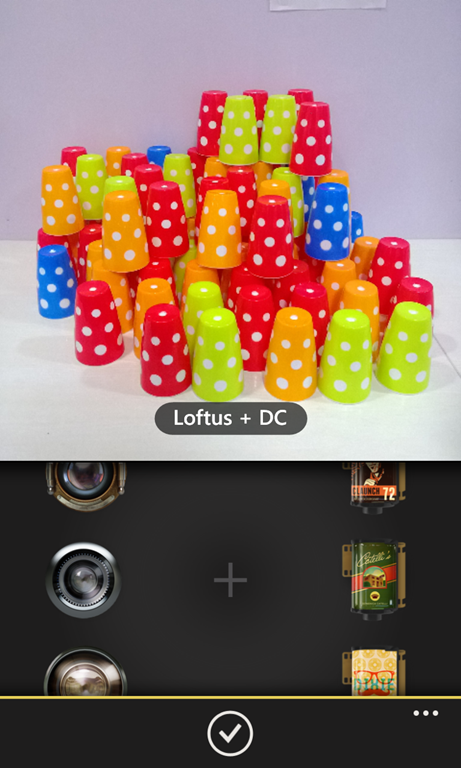
One reason I fell for Oggl is, it’s capability of reapplying a different Lens/Film after the shot is taken. For e.g if I take a photo using Matty Lens with a Black and white film, I can change it to color later. I can apply a different color Film and make the same photo in color, without out reshooting it. To apply a different Lens, go to Library in Oggl, select the photo you want to edit and click the Gear icon (center icon).
In most other Camera app, if you shoot in Black and white, then no way to change it to color. By default the app comes with five predefined set like Portrait, Food, etc. I can add my own preset by choosing a Lens and a Film.
 |
 |
 |
 |
Oggl has an online store where we can download new Gears (Lens and Films). As per Hipstamatic they add more lenses every month. Oggl app is free and comes with a limited set of Lens and Films. To get full collection we need to subscribe for a Quarterly or Yearly subscription, subscription options are Quarterly for $2.99 & Yearly for $9.99. For Windows phone users there is a 60 day trial, in this period we can use the all the available Lenses and Frames.
One of the issue I have with Oggl is, it will be very slow if the phone is connected to Data network. I assume the app is trying to connect to the server before showing the camera app. I feel this is bit annoying and I might miss an opportunity because of this delay. Normally what I do is, I open Oggl and keep it running, I use the Back button and select Oggl whenever I required it. I reported this issue to Oggl support.
Oggl team is working on it to fix issues and adding more features. I like the customer support of the team, they provide a very fast response to our queries and suggestions.
Download Oggl and let me know how you feel about the app, you can leave your comments in the comments section. I shared some of the photos from Oggl to http://lumia920photos.tumblr.com/tagged/oggl
Happy Clicking…
 |
 |
Is Our strategy of identifying experience flawed?
In our current system we judge experience based on number of years. Is number of years is the main criteria for judging a person’s experience? In my perspective it is wrong
In most of the recruitment process there will be a band, says 0-2 yrs Software Engineer, 3-5 yrs Sr Software Engineer and the band goes on. Are we seeing in a preconceived way that 2 years is not talented enough as a 5yrs one? There are people out there who are talented but less number of years to show and this strategy might filter out talents. Rather than counting the years, count the expertise the person has in the specific area.
Lets take an example of hiring for WCF, two person X and Y. X worked for 2 yrs in WCF and he created services but nothing extra ordinary. Y worked for 1 year he also created services, but he also worked some advanced areas, might be worked in Custom serialization or header manipulation, etc. So who has the expertise here in WCF, 2 yr experienced X or 1 year experienced Y? What will happen if we apply year filter here? I think one reason we are following this process is, it’s easy to finish our job.
Again the year of experience is another factor in deciding promotion. Most companies promote the person based on year of experience but not always based on performance or talent. Let’s take an example, in a team there is a talented person and YOE (Year of Experience) person (only in years but not much talent) and the company wants to promote the talented person. In this situation most managers does is, promote the talented person also promote the YOE person. So talented person is a tail of YOE person, also YOE person gets promotion without much effort.
It’s really a chaotic situation, but we need to find some order in chaos, other wise talents will slip out of this filtration.
What you feel about it? How we can improve? Leave your comments.
You photoshopped? or You got a great Camera
I think most of the photographers out there faced this comment once or more in there life. Some time this comments are intended to degrade you or some times it’s out of curiosity. The fact is not every one can come up with a better photo even if post processed or with a great camera, other wise our world will be crowded with photographers. I like that curious minds, they wanted to learn.
Post processing
Did I do post production, hell I do. I do post production to give the feeling I wanted in a photo. As humans we do a lot of post processing on our self. We go to beauty parlors, or we trim or comb our hairs, in my terms these are post processing. why we do that? to make our self presentable or feel confident.
I am software engineer, like every developer I also do a lot of refactoring. We apply patterns or practice OO. Why we do that? compiler can understand and compile any code even if it’s not refactored or not having any patterns. Still we do it, we are doing it because to give an aesthetic to our code, to make our code readable to others.
Then why post processing of a photo is not right or considered silly in peoples view. In my opinion they are doing it because we didn’t want to accept that guy have a talent, we are saying he is not talented but his tools got talent. Then why can’t you go and take a photo using your camera and you also have access to the same tools that guy has. Still if you can’t come up with the kind of photos he produce, then accept it he got talent.
Is Camera matters?
To some extend yes, the camera matters, rest is the talent of the person behind the view finder. Some time people say your photo is good, because you have a great camera. It’s like telling that my friend Senthil is an awesome developer because he has the world class IDE from Microsoft. The fact is, he can code even using a notepad.
A great tool is a must for any professional. A blunt axe in a wood cutter’s hand, will it help him? obviously not. Like any other profession, photographer also need better camera. But a great camera will never make you a great photographer.
"A photographer went to a socialite party in New York. As he entered the front door, the host said ‘I love your pictures – they’re wonderful; you must have a fantastic camera.’ He said nothing until dinner was finished, then: ‘That was a wonderful dinner; you must have a terrific stove."
Sam Haskins
Summary
Do I care if people comment like this? not at all. I take photos because I am passionate about it. I am not doing it to get likes, I am doing it for my own satisfaction. If I get likes or comments, it’s a motivation.
Photoshop is a tool for post processing, so please don’t call all edited Photos as Photoshopped.
I like to hear your thoughts, please leave your comments in the comment section.
Camera360 – Audio Camera
Camera360 is one of the popular camera app in WP8, iOS and Android. One of the greatest feature of Camera360 is applying filters in real time. Also it has an awesome simple user interface. A new feature added to this camera app is Audio capturing along with the photo. It is available to download from Google Play and The App Store. As of now no audio camera support for Windows Phone8, hope it will be added in the future release.
The Audio Camera tool will help add to all the emotion and drama that is captured using the Camera360 app. The new feature enables users to record and collect the final 5 seconds of sound before a picture is taken and save it along with the image. To prevent additional audio files being saved alongside the actual photo, everything is compacted into one JPEG file saving plenty of space and memory on the smartphone or tablet.
By capturing these few seconds of sounds, it will enable users to capture the essence and emotions of a moment that can be remembered for eternity. This is explained by Camera360 president Hao Xu who said that
with the launch of Audio Camera, Camera360 will help you truly restore the moment and emotions of precious occasions such as when your girlfriend says ‘Yes, I do!’ at that magic moment and also when your classmates says ‘Cheese’ when you graduated from university.
Despite the introduction of Audio Camera, users can still use the Camera360 app to share all their favourite moments with the world with just one or two clicks. As both the image and sound can be found in just the one file, the audio photo can be uploaded directly from Camera360 to social media sites such as Facebook, Twitter and Flickr and shared with friends and family. For those wanting a safe place to store all their pictures, they can also head to www.camera360.com/cloud where users can store pictures and build up a collection of to depict all of someone’s social and personal highlights.
How to Share Audio photo via Social Networks
To share the audio photo to social networks, go to Camera360 settings –> Share settings then authorize Camera360 with Flickr, Facebook, Twitter, etc. After you successfully binded, open the photo in Camera360 explorer by clicking the square (with the last photo taken) on your bottom left hand side. From the photo explorer, click and open the photo with audio, once the photo is open you can see a Share button. Click the share button and share it with your friends.
Your friends can see the photo in the social networks with a link as shown below.


when the user click on the link it will redirects to Camera360 page and can hear the audio embedded in the photo.

Give it a try and leave a comment about how you all feel about Camera360.
Happy clicking…
Why I moved to Mobile photography
I am passionate about photography and ended up buying a Nikon DSLR back in 2007. Since then I am in love with photography. A year or two ago I stopped taking photos. It’s not because I lost the passion, It’s because my responsibilities held me back from roaming around with my camera. I wanted to spend time with my son than in street or in woods.
I saw a lot of opportunities to capture in my daily life but difficult to carry my SLR every where especially to work. One device always handy is my mobile but I never used it, because I had an iPhone 3G. The camera quality is pathetic and I never took any photo in that.
Recently I switched to Lumia 920 and started experimenting with the camera. I would say Lumia 920 has an awesome camera. It’s low light capturing ability is wonderful. After a couple of days with Lumia 920 I realized that the opportunities in mobile photography is endless. I decided to explore the potentials of mobile photography that I explored with my DSLR.
I always love street photography but I am reluctant to go to street. One reason is, I am very shy to go to public holding my camera. Another reason is the subject will always be tensed in front of the big black DSLR camera. This will reduce the chance of capturing the right mood that I intended. I also need to face the questionable look of onlookers. When I replace the DSLR with my mobile, I become very comfortable. No one notice me, my subjects are more relaxed and I get the mood what I intended. You all will be seeing the result of my mobile street photography in coming days.
I love taking portraits, there is a lot of portraits in my collection. One thing that applies to both street and portrait photography is, the subject should be relaxed. You will never get a good portrait from a tensed subject unless you are shooting a rock. Getting a good photo of my son is very difficult. He will try to pose for the shoot when ever I take the camera to take a shot. I like to capture the mood, when some one pose for a shot, I think the photo will loose the mood. Using a mobile as a camera, my son will never notice it or wont feel so much tensed.
One thing I really enjoyed is Nature photography. In nature photography I don’t need to care about whether the subject is tensed or relaxed. No one bothers when taking a photo of a flower or river. I tried couple of nature shots using Lumia 920. All shots came very good.
Lumia 920 have a fixed 2.0 aperture, that left me the option of playing only with exposure. Combining with right technique and tools, I can able to take good looking photos. One of the hurdle for me in mobile photography was how to know the amount of light as there is no light metering. I couldn’t find that answer yet. To overcome this situation before taking the shot, I will decide the area of interest. I will tap that area in the screen, so that the camera will calculate the desired exposure for that particular area. For e.g. if I want to take a silhouette, I will tap the brightest part of the scene. So the camera will adjust the exposure for the bright part and underexpose the subject.
Post processing is one of the crucial part of photography. One of the advantage of mobile photography is, I can process the photos in the mobile and upload it from any where. I don’t need to get back home to process my image. Windows phone store has some good photo processing apps, see the summary section for more details.
Summary
I moved to mobile photography doesn’t mean I won’t touch my DSLR again. My Nikon is still a big part of my life. It’s impossible to replace a DSLR with any fixed lens, fixed aperture device. In DSLR I have freedom to choose the aperture, I decide the exposure, I can change lens, I am in total control.
So where will I fit mobile photography? in my daily life, the place I feel difficult to carry my SLR. As you read this far then you might be interested in mobile photography and you might be curious to know my tools. In my previous posts I explained about the Camera apps and Post processing apps I am using in my Lumia 920. You might be also interested to see some of the photos taken using Lumia 920, have a look at my tumblr page.
Happy clicking…
Camera360 crossed 100 million global users
I started spending more time in mobile photography after I bought my Lumia 920. I experimented with different photography app and one day I saw Camera360 in the store and thought of giving it a try. Then onwards I was in love with Camera360. One reason I was so impressed is it’s simplicity and applying different filters in real time, the big plus factor is, yes it’s free (If it was not free then I will definitely buy it). I would say I become a big fan of Camera360, have a look at some of the photos taken using Lumia920 and for most of the shots I used Camera360.
Recently I came to know that Camera360 crossed 100 million users across iOS, Android and Windows Phone. It’s a big win for Camera360, it’s the first mobile photography app that crossed 100 million users around the world. Check out the press release here.
To my fellow mobile photographers, don’t forget to try Camera360 and please leave your experience with me in the comment section.
Happy clicking…


 Sony Arouje