PI Tracker in action–video
In my last post I gave an overview of a toy I created using Raspberry Pi and the components used for it. After that some of my friends wanted to see the toy in action and here is the video.
Video Streaming
A new feature added to the tracker after the last post is the video streaming to the controlling device. In the modified tracker a USB camera is attached to the front of the tracker and connected to the Raspberry Pi. The RaspPi host a mjpg streamer and the video can be streamed to any device connected to the same network, including the Android device that controls the tracker. This helps my son to sit anywhere in the house and control the tracker.
Stay tuned for the next post with source code and more…
Edit: A new post added explaining the Source code running in Raspberry pi
PI TRACKER – Raspberry Pi based WiFi controlled toy
I was always fascinated about software and hardware interaction. But with my limited knowledge in electronics, I kept the hardware part aside and was working only in software. After having some hands on experience with my first Raspberry Pi, I decided to build a toy for my son. I purchased my second pi and some other components and this is what I built. Yes it looks ugly but worth playing with it :).
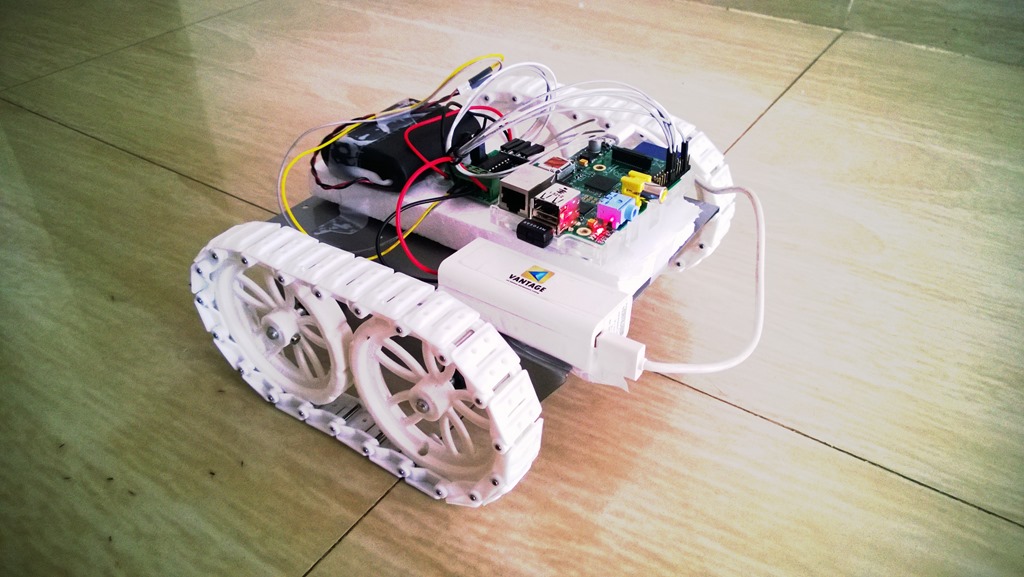
Last couple of days I was refreshing my basic electronic skills and virtually designing the software and hardware for the device. You can find so many similar RaspPi based toys and I am adding one more to it.
Yesterday evening I got the last piece of the puzzle, the rechargeable battery. After that I spent the next 5 hrs to code the application running in the vehicle and the Remote control app for my Android tab, remote control app is based on the Acclerometer of the device. To control the toy I decided to use WiFi and use my Android tab as a steering wheel. I will go more details into the software part in a different post.
Future addition
-
Obstacle detection and avoidance system
-
Video feed to the remote control device
Components
Rest of the post will go through the components used in the tracker and how to acquire it. If you are in Bangalore then you can get all these items from OM Electronics in SP road or you can buy online. I bought it from OM Electronics.
 |
Motor
Qty: 2 Features
|
 |
Chasis
Qty: 1 Features Powder coated Metal chasis for robots. Easy to mount the motors on place by using normal motor mount nut. It can either be used in skid steel configuration (4 motors) or differential configuration (2 rear wheels + 1 front castor wheel). The body contains perforated holes for easy mounting of various size circuit boards and other mechanical components. Length : 190mm Width : 105mm Height : 40mm |
 |
Track wheels
Qty: 4 Features
|
 |
Qty: 60 Features High quality Plastic Track Belt and Ribbit Specification :
|
 |
L293D Motor Driver controller
Qty: 1 Features H Bridge to control the motors individually |
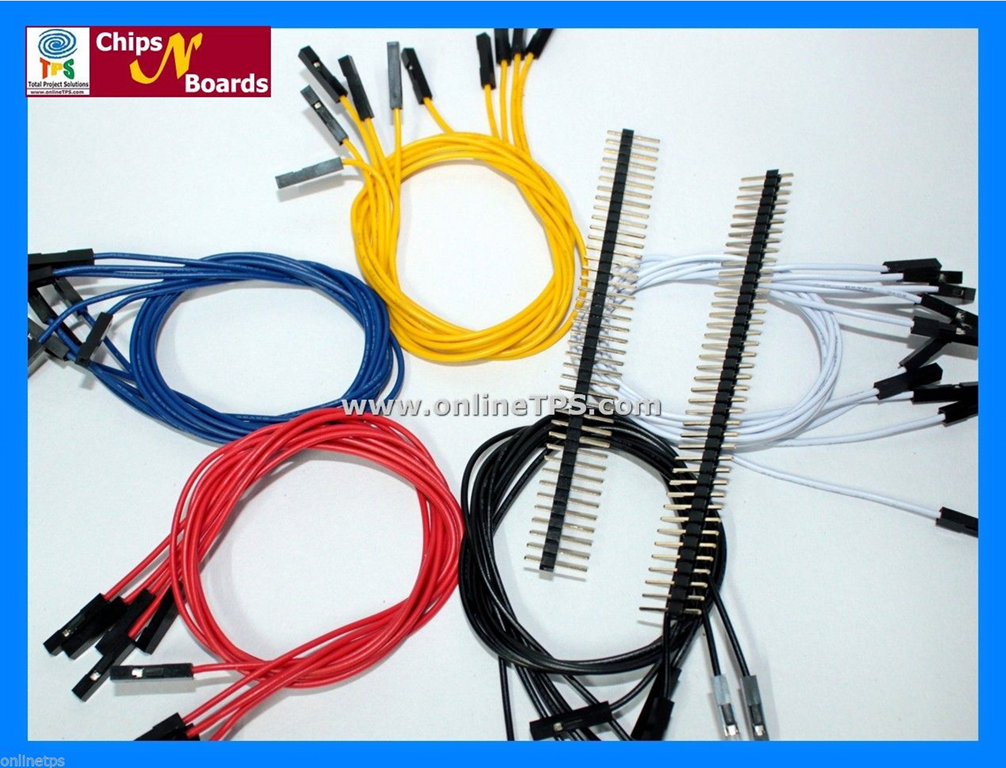 |
Jumber Wires
male to male jumber wires – 10 or more pcs male to female jumber wires – 10 or more pcs female to female jumber wires – 10 or more pcs |
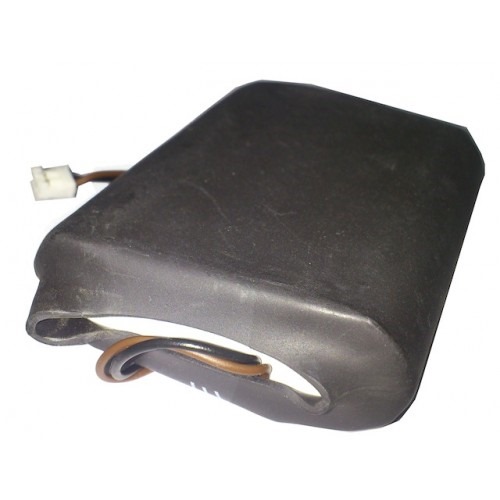 |
12V Lithium-Ion Rechargeable Battery
12v rechargable battery + charger Url: http://www.robosoftsystems.co.in/roboshop/index.php/12v-lithium-ion-rechargeable-battery.html |
Next part I will go through the software part of the system. Stay tuned.
My home entertainment network with NAS and Raspberry Pi
This post explains how different devices at my home connected via Wi-Fi and provide an easy way of streaming media contents. In this setup I created the playlists in one location (NAS) and all other devices can consume it.
Home network Topology

Router
All my devices are connected to Netgear’s gigabit router. Earlier I had a 10/100 Netgear router and I replaced it with 10/100/1000 router. If you are planning for a streaming network at home its worth investing in a very good gigabit router.
Network Attached Storage (NAS)
The integral component of my streaming network is the 4TB WD My Cloud. It host twonky DLNA server and iTunes server, any DLNA complaint devices can connect to it and stream audio or video. Some devices at my home is not DLNA complaint, like docking station and Home theatre. That’s where Raspberry PI will be helpful.
Raspberry Pi
I knew about Raspberry Pi since it launched but never used it until recently. I decided to use Raspberry Pi to make my non DLNA devices to play media from my NAS. There are so many tutorials available in the internet to setup a Raspberry Pi, using noobs installer and using Raspbian image, I use Raspbian image to setup.
Next is setting up my Pi to play media from a DLNA server, Stephen Phillips has a very good post explaining how to do it. Follow the steps and you will have a device that can connect to any non DLNA device to play media from a server. I then connect the Pi’s audio out to my Home theatre and could play audio from the NAS. Without raspberry pi I have to switch on my TV when ever I want to play audio, with this setup my TV can be switched off when I am listening to music, also it saves energy.
I can use my Android Tab as a remote to paly media using BubbleUPnP (paid and free) or from my Lumia 920 using AV Remote (paid and trial available) or a free app called myMediaHub. You can use any similar apps you want.
Bind JSON REST result using Knockout
Last couple of hours I was trying to bind json data from a WCF service to a simple HTML UI using Knockout js. This is a very simple application I created to learn Knockout. This application is also a tracer to test whether I can bind json result from the service directly to the UI, without creating an elaborate javascript view model at the client side. In real world services returns complex json, so it’s not possible to create the same model at the client side.
ko.mapping
Knockout provides mapping as a plugin, you can see more details here. Please go through the link before you proceed.
So let’s see how I created my view model and the html UI.
I created a js file named customerviewmodel.js and added the below code.
function customerViewModel() {
    var self = this;

    self.customerList = ko.observableArray();

    self.getCustomers = function () {
        $.ajax({
            type: 'GET',
            url: 'http://10.0.0.2:8081/CustomerService/customers',
            contentType: "application/javascript",
            dataType: "jsonp",
            success: function(data) {
                var observableData = ko.mapping.fromJS(data);
                var array = observableData();
                self.customerList(array);
            },
            error:function(jq, st, error){
                alert(error);
            }
        });
    };
}

$(document).ready(function () {
    ko.applyBindings(new customerViewModel());
});
And the html UI. For this tracer app, I created a MVC4 web application and removed all the html code from the Views/Home/index.cshtml and replaced it with the below code.
<script src="~/Scripts/jquery-1.8.2.js"></script> <script src="~/Scripts/knockout-2.2.0.debug.js"></script> <script src="~/Scripts/knockout.mapping-latest.debug.js"></script> <script src="~/MyScripts/customerviewmodel.js"></script> <table> <thead> <tr> <th>Id</th> <th>Name</th> </tr> </thead> <tbody data-bind="foreach: customerList"> <tr> <td data-bind="text: Id"></td> <td data-bind="text: Name"></td> </tr> </tbody> </table> <br/><input type="button" id="btnGetCustomers" value="Get Customers" data-bind="click: getCustomers">
customerList is a ko.observablearray and the data will get filled when the user clicks the button. I was able to call the WCF REST api and get the json but unable to populate customerList or show the data to the UI. I fixed the issue with the help of a post from Stackoverflow, see the code snippet below.
success: function(data) { var observableData = ko.mapping.fromJS(data); var array = observableData(); self.customersResult(array);}WCF Configuration changesAs you can see, my WCF REST service is running in a different machine, and when I do an ajax call with datatype:json I am getting some errors. After some googling I came to know that I have to call the service with datatype:jsonp. So I changed it to jsonp and started getting the below error.
jQuery18206380491638767738_1396378264364 was not called
So I modified the WCF service configuration as shown below to work with jsonp request.
<bindings> <webHttpBinding> <binding name="webHttpBindingJson" crossDomainScriptAccessEnabled="true" /> </webHttpBinding> </bindings><behaviors> <serviceBehaviors> <behavior name="ServicesBehavior"> <serviceMetadata httpGetEnabled="true"/> </behavior> </serviceBehaviors> <endpointBehaviors> <behavior name="webby"> <webHttp helpEnabled="true" /> </behavior> </endpointBehaviors> </behaviors>I configured the service as shown below. I use a custom hosting, so need to provide baseaddresses.
<services> <service name="WCFRestTest.Services.CustomerService" behaviorConfiguration="ServicesBehavior"> <host> <baseAddresses> <add baseAddress="http://10.0.0.2:8082/CustomerService/Details"/> </baseAddresses> </host> <endpoint name="customerServiceRest" address="http://10.0.0.2:8081/CustomerService"bindingConfiguration="webHttpBindingJson" binding="webHttpBinding"contract="WCFRestTest.Services.ICustomerService" behaviorConfiguration="webby"/> </service> </services>
After this WCF configuration changes I could able to get json from the REST api and bind the result to html UI using Knockout.
Let me know if you have any questions.
Happy coding…
Enable Stratus player in Tumblr
I wanted to install stratus player for my site lumigraphs.com. I tried all the options mentioned in the stratus site but the stratus player is not showing in my tumblr site. I even tried with different versions of jquery and moving the script to Header section from Body, but nothing really worked.
Here is what I did to get it working, it’s very simple.
In stratus site the script to add to the body was like below.
<script type="text/javascript">
$(document).ready(function(){
$stratus({
auto_play: true,
download: false,
links: 'http://soundcloud.com/qotsa',
random: true
});
});
</script>
To get it working we need change it as follows and put it inside the body. Below I am giving the whole script including the jquery reference I used.
<script type="text/javascript" src="http://ajax.googleapis.com/ajax/libs/jquery/1.7.2/jquery.min.js"></script>
<script src="http://code.jquery.com/jquery-migrate-1.2.1.js"></script>
<script type="text/javascript" src="http://stratus.sc/stratus.js"></script>
<script type="text/javascript">
 $(document).ready(function(){
    $('body').stratus({
      auto_play: true,
      download: false,
      align: 'bottom',
      links: 'https://soundcloud.com/sony-arouje/sets/fortumblr',
      random: true
    });
 });
</script>
The only change I did was appended $(‘body’) just before calling stratus (marked in bold above).
Edit
When I put the stratus plugin in the body, tumblr is not loading all my photos, only few is showing. So I moved the above script to head, the only change is, instead of $(‘body’).stratus(… to $(‘head’).stratus…
Indexing and Searching with ElasticSearch
Last couple of days I was experimenting with ElasticSearch and different client libraries for .NET. In this post I will detailed the implementation of Indexing and searching using ElasticSearch in .NET. For detailed documentation of Elasticsearch visit official site or Joel Abrahamsson post.
I use PlainElastic.Net as my Elastic search client. PlainElastic is a very simple lightweight library for Elasticsearch. It uses plain json for indexing and query, this gives me more freedom and tooling to create json from the user inputs for indexing and query.
To make it more flexible, our system gets data from the database using views. Datareader class converts this data to Dynamic objects. Then converts it to json and pass it to PlainElastic for indexing. Dynamic object makes life more easier as we can reuse this class with different views without worrying about strong types. Below is the Dynamic class I created.
    public class ElasticEntity:DynamicObject
    {
        private Dictionary<string, object> _members = new Dictionary<string, object>();

        public static ElasticEntity CreateFrom(Dictionary<string, object> members)
        {
            ElasticEntity entity = new ElasticEntity();
            entity.SetMembers(members);
            return entity;
        }

        public string GetValue(string property)
        {
            if (_members.ContainsKey(property))
            {
                object tmp= _members[property];
                if (tmp == null)
                    return string.Empty;
                else
                    return Convert.ToString(tmp);
            }
            return string.Empty;
        }

        public Dictionary<string, object> GetDictionary()
        {
            return _members;
        }

        internal void SetMembers(Dictionary<string, object> members)
        {
            this._members = members;
        }

        public void SetPropertyAndValue(string property, object value)
        {
            if (!_members.ContainsKey(property))
                _members.Add(property, value);
            else
                _members[property] = value;
        }

        public override bool TrySetMember(SetMemberBinder binder, object value)
        {
            if (!_members.ContainsKey(binder.Name))
                _members.Add(binder.Name, value);
            else
                _members[binder.Name] = value;

            return true;
        }

        public override bool TryGetMember(GetMemberBinder binder, out object result)
        {
            if (_members.ContainsKey(binder.Name))
            {
                result = _members[binder.Name];
                return true;
            }
            else
            {
                return base.TryGetMember(binder, out result);
            }
        }

        public override bool TryInvokeMember(InvokeMemberBinder binder, object[] args, out object result)
        {
            if (_members.ContainsKey(binder.Name)
                      && _members[binder.Name] is Delegate)
            {
                result = (_members[binder.Name] as Delegate).DynamicInvoke(args);
                return true;
            }
            else
            {
                return base.TryInvokeMember(binder, args, out result);
            }
        }

        public override IEnumerable<string> GetDynamicMemberNames()
        {
            return _members.Keys;
        }
    }
Indexing
Our views will fetch the data and return as IDataReader. While indexing data, the index helper will iterate through the reader and from the reader the data get loaded to Dynamic ElasticEntity as shown below.
        private ElasticEntity GetRecordAsElasticEntity(IDataReader reader)
        {
            ElasticEntity entity = new ElasticEntity();
            for (int i = 0; i < reader.FieldCount; i++)
            {
                entity.SetPropertyAndValue(reader.GetName(i), reader.GetValue(i));
            }

            return entity;
        }
Before indexing the ElasticEntity, it will be serialized to json using the solution provided in Stackoverflow, it uses JavaScriptSerializer and is very fast. Same approach used while deserializing the json result from Elasticsearch while searching. For deserializing Elasticsearch result, I used json.net initially but deserializing is very slow compare to Javascript serializer.
Below is my Elasticsearch Indexer. It’s a very simple class that uses PlainElastic.Net.
    public class PlainElasticIndexer:Interfaces.IElasticIndexer
    {
        private ElasticConnection _connection;

        private string _indexName;
        private string _type;
        private string _defaultHost;
        private int _port;

        /// <summary>
        /// Default host to localhost and port to 9200. If the host and port is different
        /// then use the parameterized constructor and specify the details.
        /// </summary>
        private PlainElasticIndexer()
        {
            _connection = new ElasticConnection("localhost", 9200);
        }

        public PlainElasticIndexer(string host, int port, string indexName, string type)
        {
            this._defaultHost = host;
            this._port = port;
            _indexName = indexName;
            _type = type;
            _connection = new ElasticConnection(_defaultHost, _port);
        }

        /// <summary>
        /// Default host to localhost and port to 9200. If the host and port is different
        /// then use the parameterized constructor and specify the details.
        /// </summary>
        public PlainElasticIndexer(string indexName, string type):this()
        {
            _indexName = indexName;
            _type = type;
        }


        /// <summary>
        /// Add or update an index. If the ID exist then update the index with the provided json.
        /// </summary>
        /// <param name="json"></param>
        /// <param name="id"></param>
        public void Write(string json, string id)
        {
            string command = Commands.Index(_indexName, _type, id);
            string response = _connection.Put(command, json);
        }
    }
Search
Searching also uses a very simple class as shown below.
    public class PlainElasticSearcher:Interfaces.IElasticSearcher
    {
        ElasticConnection _connection;
        private string _indexName;
        private string _type;
        private string _defaultHost;
        private int _port;

        /// <summary>
        /// Default host to localhost and port to 9200. If the host and port is different
        /// then use the parameterized constructor and specify the details.
        /// </summary>
        private PlainElasticSearcher()
        {
            _connection = new ElasticConnection("localhost", 9200);
        }

        public PlainElasticSearcher(string host, int port, string indexName, string type)
        {
            this._defaultHost = host;
            this._port = port;
            _indexName = indexName;
            _type = type;
            _connection = new ElasticConnection(_defaultHost, _port);
        }

        /// <summary>
        /// Default host to localhost and port to 9200. If the host and port is different
        /// then use the other parameterized constructor and specify the details.
        /// </summary>
        public PlainElasticSearcher(string indexName, string type) : this()
        {
            _indexName = indexName;
            _type = type;
        }

        public string Search(string jsonQuery)
        {
            string command = new SearchCommand(_indexName, _type).WithParameter("search_type", "query_and_fetch")
                                    .WithParameter("size","100");
            string result = _connection.Post(command, jsonQuery);
            return result;
        }
    }
The Search function returns the result as plain json. The caller will convert the json to ElasticEntity using the function shown below.
        public static IList<ElasticEntity> ToElasticEntity(string json)
        {
            IList<ElasticEntity> results = new List<ElasticEntity>();
            JavaScriptSerializer jss = new JavaScriptSerializer();
            jss.RegisterConverters(new JavaScriptConverter[] { new DynamicJsonConverter() });

            JsonTextReader jsonReader = new JsonTextReader(new StringReader(json));

            var jObj = JObject.Parse(json);
            foreach (var child in jObj["hits"]["hits"])
            {
                var tmp = child["_source"].ToString();
                dynamic dynamicDict = jss.Deserialize(tmp, typeof(object)) as dynamic;
                ElasticEntity elasticEntity = ElasticEntity.CreateFrom(dynamicDict);
                results.Add(elasticEntity);
            }

            return results;
        }
I added another class to convert the ElasticEntity to typed object. This helps the caller to convert the ElasticEntity to the Domain objects or to DTO.
    /// <summary>
    /// This class maps ElasticEntity to any DomainSpecific strongly typed class. Say for e.g.
    /// the requesting class wants the search result as a Customer class. This mapper will
    /// create an instance of Customer and get the value from ElasticEntity and set
    /// it to the Properties of Customer. One rule you should follow is
    /// the Columns in the index and Properties in the Domain class should match.
    /// We can say it's a convention based mapping.
    /// </summary>
    public class EntityMapper
    {
        private string _pathToClientEntityAssembly;
        private Assembly _loadedAssembly = null;

        public EntityMapper(string pathToClientEntityAssembly)
        {
            _pathToClientEntityAssembly = pathToClientEntityAssembly;
        }

        internal T Map<T>(ElasticEntity entity) where T:class
        {
            T instance = this.GetInstance<T>();
            Type type = instance.GetType();
            PropertyInfo[] properties = type.GetProperties();

            foreach (PropertyInfo property in properties)
            {
                object value = entity.GetValue(property.Name);
                property.SetValue(instance, Convert.ChangeType(value, property.PropertyType), null);
            }
            return instance;
        }

        private T GetInstance<T>()
        {
            if(string.IsNullOrWhiteSpace(_pathToClientEntityAssembly))
                throw new NullReferenceException(string.Format("Unable to create {0}, path to the
                                        assembley is not specified.", typeof(T).ToString()));

            if(_loadedAssembly==null)
                _loadedAssembly = Assembly.LoadFile(_pathToClientEntityAssembly);

            object instance = _loadedAssembly.CreateInstance(typeof(T).ToString());
            return (T)instance;
        }

    }
The client can call the search function as shown below.
var searcher = new SearchFacade(new PlainElasticSearcher(), assmPath);
IList<Customer> resultAsCustomer = searcher.Search("Customer", jsonQry).Results<Customer>();
where assmPath is the path to Assembly where Customer entity resides. If the user needs the result as ElasticEntity, then set the assmPath as null and make the call as shown below.
IList<ElasticEntity> searchResult = searcher.Search("Customer", jsonQry).Results();
Below code shows the implementation of SearchFacade.
    public class SearcherFacade
    {
        private IElasticSearcher _elasticSearcher;
        private string _pathToEntityAssembly;
        private IList<ElasticEntity> _searchResults;
        /// <summary>
        /// Use this constructor if the client will be dealing with dynamic ElasticEntity.
        /// </summary>
        /// <param name="elasticSearcher"></param>
        public SearcherFacade(IElasticSearcher elasticSearcher)
        {
            _elasticSearcher = elasticSearcher;
        }

        /// <summary>
        /// Use this constructor if the client wants to convert the ElasticEntity to domain specific class.
        /// </summary>
        /// <param name="elasticSearcher"></param>
        /// <param name="pathToEntityAssembly">path to Assembley to locate the Domain specific class</param>
        public SearcherFacade(IElasticSearcher elasticSearcher, string pathToEntityAssembly):this(elasticSearcher)
        {
            _pathToEntityAssembly = pathToEntityAssembly;
        }

        public SearcherFacade Search(string jsonQuery)
        {
            string jsonResult = _elasticSearcher.Search(jsonQuery);
            _searchResults=  DeserializeJson.ToElasticEntity(jsonResult);
            return this;
        }

        public IList<ElasticEntity> Results()
        {
            return _searchResults;
        }

        /// <summary>
        /// Converts dynamic ElasticEntity to strongly typed Domain Entity.
        /// </summary>
        /// <typeparam name="T"></typeparam>
        /// <returns></returns>
        public IList<T> Results<T>() where T:class
        {
            if (string.IsNullOrWhiteSpace(_pathToEntityAssembly))
                throw new NullReferenceException(string.Format("Please provide the Path and Assembly
name in which class {0} resides. Set the fully qualified Assembly path
                          via the constructor that take two parameters.", typeof(T).ToString()));

            EntityMapper mapper = new EntityMapper(_pathToEntityAssembly);
            IList<T> convertedResults = new List<T>();

            foreach (ElasticEntity entity in _searchResults)
            {
                T instance = mapper.Map<T>(entity);
                convertedResults.Add(instance);
            }
            return convertedResults;
        }
    }
This post gives a very simplistic and basic view of our ElasticSearch layer that I created. We have more functionality tailored for our needs. Hope this post helps some one to build a system using ElasticSearch.
Happy Coding…
Lambda expression validation against Entity
The system that I was building, I created a generic Record exist validator. What this does is check whether a specific record exist in the database. Say user can pass a Product code and check whether the Product exist in the database. In some scenario just checking a Product exist may not be sufficient, say while doing an invoice we should validate and raise error if a product is soft deleted but in some scenario we need to check whether the product exist nothing more. That means this custom status check should not implemented to the core Product exist validator. Developer should inject the custom Error condition logic based on the functionality he is working. This post explains the Custom Error conditions logic I implemented based on Lambda expression.
Lambda expression Validation
The easy way for a developer to write a Error condition using Lambda expression, pseudo code will be some thing like this.
(product=>product.isDeleted==true) then raise exception.
Initial 30 minutes I was thinking how to get the body of expression and validate the entity because we cannot directly apply Lambda expression to an entity like Product. When I go deeper into expression evaluation, I realize that I need more time than anticipated and might ended up with a complex functionality. This is what I did to solve this scenario.
-
Add the entity to validate to a generic List
-
Pass the lambda expression to Where() of the list.
-
If the result count is greater than 0 raise the error.
see the code below.
public class ErrorCondition
{
    private object _criteria;
    private Exception _exceptionToRaise = null;

    public ErrorCondition IfTrue<T>(Func<T, bool> criteria) where T:class
    {
        _criteria = criteria;
        return this;
    }

    public void RaiseException(Exception exceptionToRaise)
    {
        this._exceptionToRaise = exceptionToRaise;
        return this;
    }

    internal void Validate<T>(T entity)
    {
        List<T> tmp = new List<T>();
        tmp.Add(entity);
        Func<T, bool> criteria = (Func<T, bool>)this._criteria;
        var result = tmp.Where<T>(criteria).ToList<T>();
        if (result.Count > 0)
        {
            if (_exceptionToRaise == null)
                throw new Exceptions.MaginusException("Error Condition is matching but
no exception attached to ErrorCondition. Please set exception via
                  RaiseException function.");
            throw _exceptionToRaise;
        }

    }
}
User can create a custom error condition as shown below.
ErrorCondition isDeletedCheckCondition = new ErrorCondition();
isDeletedCheckCondition.IfTrue<Product>(p => p.IsDeleted== true)
.RaiseException(new Exception("Product is deleted"));
I created a class to group multiple error conditions user may need to add.
public class ErrorConditions
{
    IList<ErrorCondition> _errorConditions;
    public ErrorConditions()
    {
        _errorConditions = new List<ErrorCondition>();
    }

    public ErrorConditions Add(ErrorCondition condition)
    {
        this._errorConditions.Add(condition);
        return this;
    }

    internal void Validate<T>(T entity)
    {
        foreach (ErrorCondition errCondition in _errorConditions)
            errCondition.Validate<T>(entity);
    }
}
Now user can add multiple Error conditions as shown below.
ErrorConditions errorConditions = new ErrorConditions()
    .Add(new ErrorCondition().IfTrue<Product>(p => p.IsDeleted == true)
       .RaiseException(new Exception("Product is deleted and cannot be added")))
    .Add(new ErrorCondition().IfTrue<Product>(p => p.IsWithdrawn == true)
.RaiseException(new Exception("Product is withdrawn.")));
Pass this errorConditions instance to Product Exist validator, Validator will call errorConditions.Validate<Product>(productToValidate) if the record exist in the database.
The key point to note here is, how we could evaluate an expression with the help of a List. Other wise I have to come up with complex code to analyze the body of the expression and things like that.
Happy coding…
Chromecast–My experience
Recently I received a Chromecast, it’s a really great addition to my TV and can stream online videos and browse web very easily. Thanks to my brother in law for gifting me one.
Installation
Installing Chromecast is pretty simple, just connect the dongle to the HDMI slot and connect the power source to the TV’s USB slot. If your TV don’t have a USB slot then don’t worry it packed with an external power adapter and can connect to a power outlet.
When I first connected to my TV it is showing only a blank screen with some colored dots. Some google search revealed that it’s because of the Reset button. After doing some analysis of the dongle I realized that, when I insert the dongle to HDMI, the core is pushing backward and jamming the reset button. Thus the device enter into a reset state. If the same issue is happening to you then connect the device and try to pull the cover a little bit so that the reset button wont get stuck and you should be able to click the reset button.
Configuration
Next issue is installing the Chromecast app for my Android tab. I can’t install the app from Play store as I reside in India and the Chromecast is not released here yet. So I downloaded the apk from http://www.apkmaza.com/2013/07/chromecast-111.html and installed it. The setup was quite simple and the Chromecast Android app will guide you through each step. Once the setup is complete the dongle will check for the latest version and update it, if found. So make sure your WiFi router is connected to Internet.
If you don’t have any Android or iOS device then you can install a desktop app to configure the Chromecast dongle.
My Experience
Even though my TV is a smart one, means I can connect to my Wi-Fi. But browsing sites or watching YouTube is bit difficult with the aide of that remote control. With Chromecast I can browse any site in my computer and if required just cast it to my TV. That means my TV can show any Chrome tab from my computer, if it has photo, video or text. Even I can do multitasking when I am casting a tab to TV, that means my son can watch his favorite video from YouTube running in one of the chrome tab and casted to TV, mean while I can browse Facebook in another tab and is available only to my computer.
One thing I really missing in Chromecast is streaming the videos or music I stored locally in my computer. I am not sure why Google is not provided any option to stream local videos as it’s a very important feature for an awesome device like Chromecast. Hope in future Google will come up with a desktop app to stream local videos.
Not for you, If
- you are looking to stream local videos.
- you have no Wifi device.
- your TV have no HDMI slot.
KeyNotFoundException from NHibernate’s Session.Evict
We started getting KeyNotFoundException when we evict an entity from session. The error is not consistent, some time it work and some time it wont. Searched a lot for the cause of this exception but not got any proper solution.
As per the stack trace, the error is because it couldn’t find the key in a collection. In a collection an entities identity is based on the hash code. In this case the entity has composite key. In the GetHashCode function, we append the values of composite properties and get the hash code of the resultant string. When I start checking in more details I saw some properties we used in getting hash code is not exist as part composite key in the mapping file (some keys were removed from the composite mapping but not updated GetHasCode()). I need to do some more analysis to find why those extra fields screwing up the GetHashCode function. I will update the post later if I get the answer.
To avoid these kind of issues make sure to use only composite properties in the Equal and GetHashCode function and avoid using properties that are not part of composite.
Happy coding…


 Sony Arouje